How to make sprite sheets with AI
"Sprite sheet" means three different things depending on who's asking, and the AI workflow for each is different. This guide covers all three: animation strips, multi-sprite asset packs, and directional rotation sheets, plus the gotchas that waste people's credits.
1. Animation sheets (one character, many frames)
The classic horizontal strip: a character's idle, walk or attack split into frames you play back in-engine.
The workflow
- Get a clean base sprite first. Generate it or upload one. Animation models work frame-by-frame from your input, so any mess in the base sprite (background fringe, wobbly outline) gets animated too. Clean in, clean out.
- Mind the canvas. Animation needs room to move. If your sprite fills the canvas edge to edge, a jump or sword swing will clip. Pad the canvas before animating; SpriteLab has a drag-to-pad step built into the Animate flow for exactly this.
- Describe the motion, not the character. The model can see the sprite. Your prompt should spend its words on the movement: "idle breathing, slight bob, two-frame loop" beats re-describing the dragon.
- Ask for a loop. Append "looped" or "seamless loop" to the motion description. Non-looping output is the most common disappointment in AI animation.


One sprite in, a looping idle out. Prompt was just the motion description.
The gotchas
- Matte fringe. Animation models typically flatten transparency to a solid matte colour and key it back out at the end. Edge pixels half-blend with the matte and survive as a halo. You either fix this per-frame by hand or use a tool whose animation cleanup handles the matte properly. This one problem is most of why animation output looks "AI" at a glance.
- Frame count modesty. 4 to 8 frames loops better than 16. More frames means more chances for the character to drift off-model.
- Export both formats. You want the sheet PNG for the engine and a GIF for previews and posting. Make sure frame boundaries in the sheet are exact multiples (engine importers assume uniform frame width).
2. Asset packs (many sprites, one style)
Ten potions that look like siblings, a set of dungeon enemies, a food icon collection. The naive approach, generating each sprite separately, gives you ten art styles in ten generations.
The fix is counterintuitive: generate the whole set in one image. Ask for a grid of N sprites in a single generation and the model keeps palette, outline weight and proportions consistent across every cell, because it drew them all at once. Then split the grid into individual sprites.
- Decide the variance you want. "Ten variations of the same potion" and "ten different dungeon monsters in one style" are different prompts. Be explicit about which.
- Grid sizes that work: 2x2 up to 5x5. Past 25 cells, individual sprites get too small for the model to detail well.
- Splitting is the fiddly part. You need cell boundaries plus per-sprite bounding boxes inside each cell. SpriteLab's Sprite Pack mode does the grid generation, cleanup and splitting in one flow (and per-sprite it works out far cheaper than generating individually: a 9-pack costs 2 credits where 9 separate basic generations cost 9).
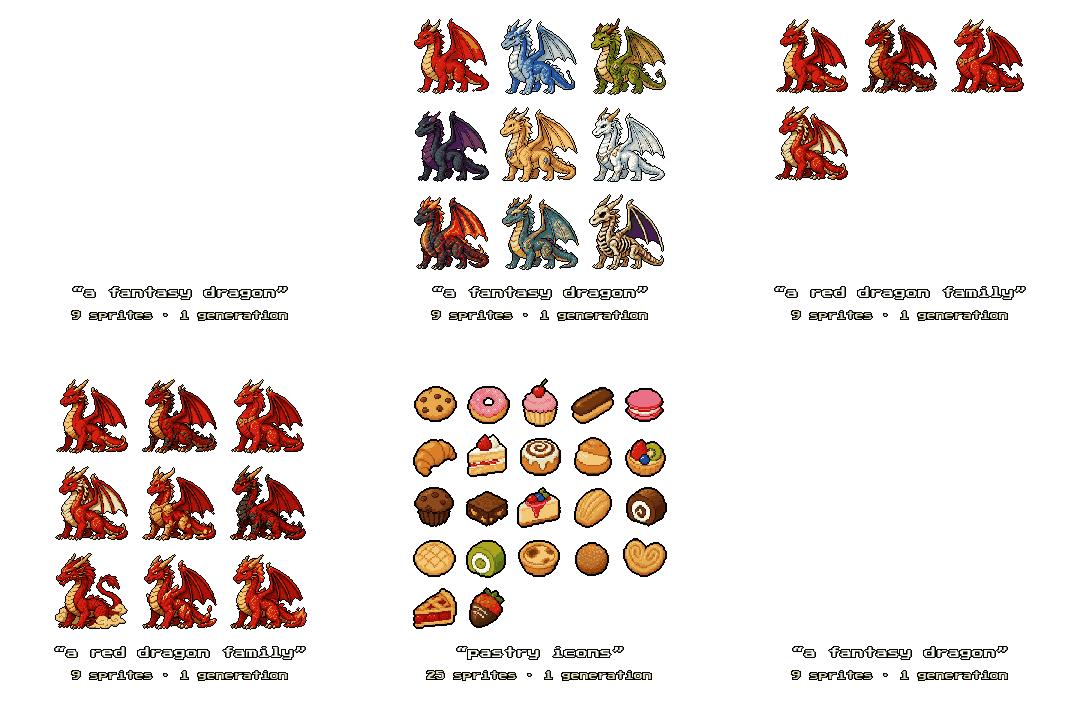
Nine sprites, one generation, one shared style. Then split.
3. Rotation sheets (one character, four directions)
Top-down and RPG-style games need the same character facing south, east, north and west. Generating each direction separately almost never matches; the model reinvents the character every time.
- Same trick as packs: one call. Ask for all views in one image ("front, right side, back views of the same character") so the model keeps the design consistent.
- Mirror for free symmetry. Generate three views (front, right, back) and flip the right view horizontally to get the left. Guaranteed left/right symmetry, and one less view for the model to drift on. SpriteLab's rotation mode does this by default ("symmetric sides").
- Keep a shared scale. When splitting the views, downscale them all by the same factor. Per-view scaling inflates the narrow side views and breaks the set's proportions.
- Eight directions is still hard. Single-call consistency across 8 views is beyond current models in our testing. If you need diagonals, plan to derive them from the 4-direction set by hand for now.
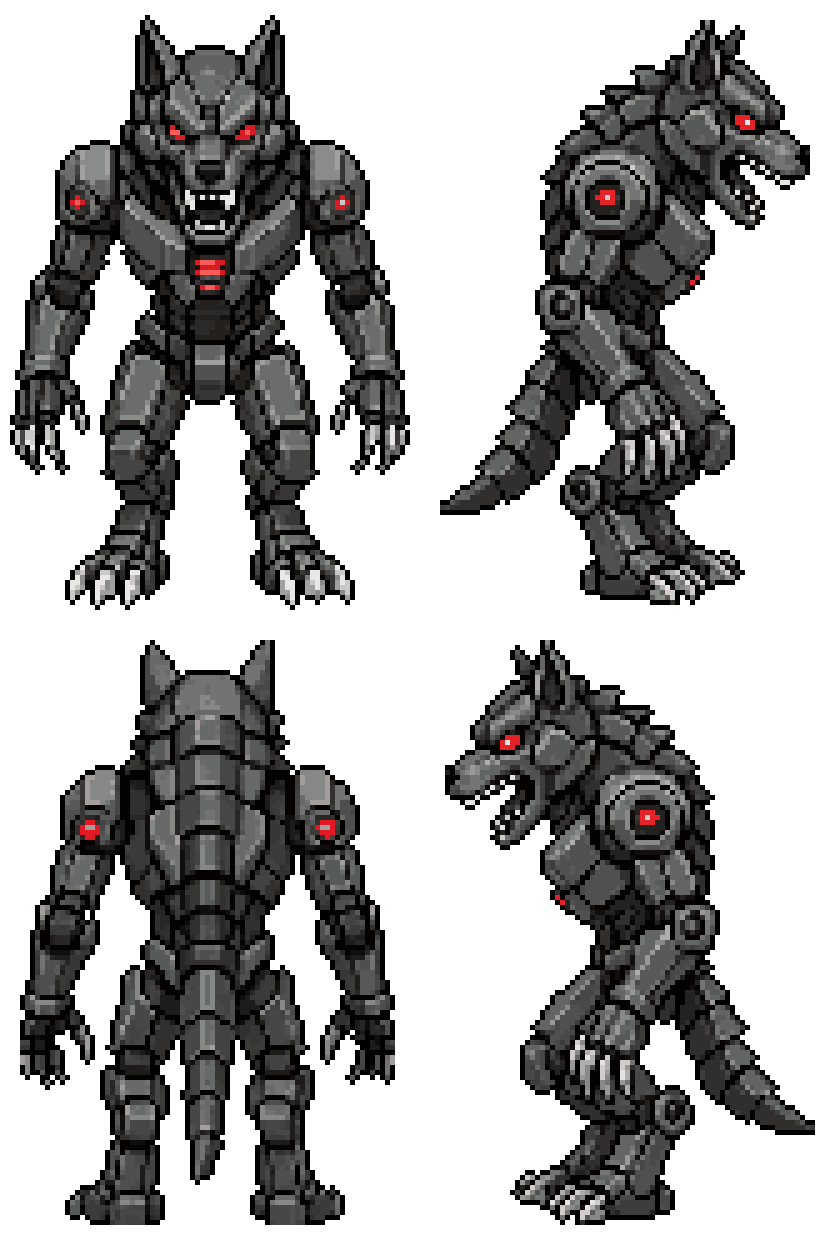
One generation, four consistent facings.
Engine-side checklist
Whatever tool made the sheet, before it goes in your engine:
- Transparent background, no leftover matte fringe around silhouettes.
- Uniform frame/cell dimensions (the importer slices on fixed offsets).
- Consistent palette across frames (palette flicker between frames reads as a glitch in motion).
- Sensible native size. Don't ship a 1024px "32px-style" sprite; downscale to the true resolution and let the engine scale up with nearest-neighbour.
Try a sprite pack
Generate 9 matching sprites in one go, split them with one click, and judge the consistency yourself.
TRY SPRITELAB FREE 25 free credits + 5 daily. No card needed.