The best AI tools for 2D game assets (2026)
There are dozens of AI image tools, but only a few make art you can drop into a game without an hour of cleanup. This is the shortlist for 2D: what each tool is actually best at, which to use for each kind of asset, and what to check before you pay.
The ranking
- 1
SPRITELAB
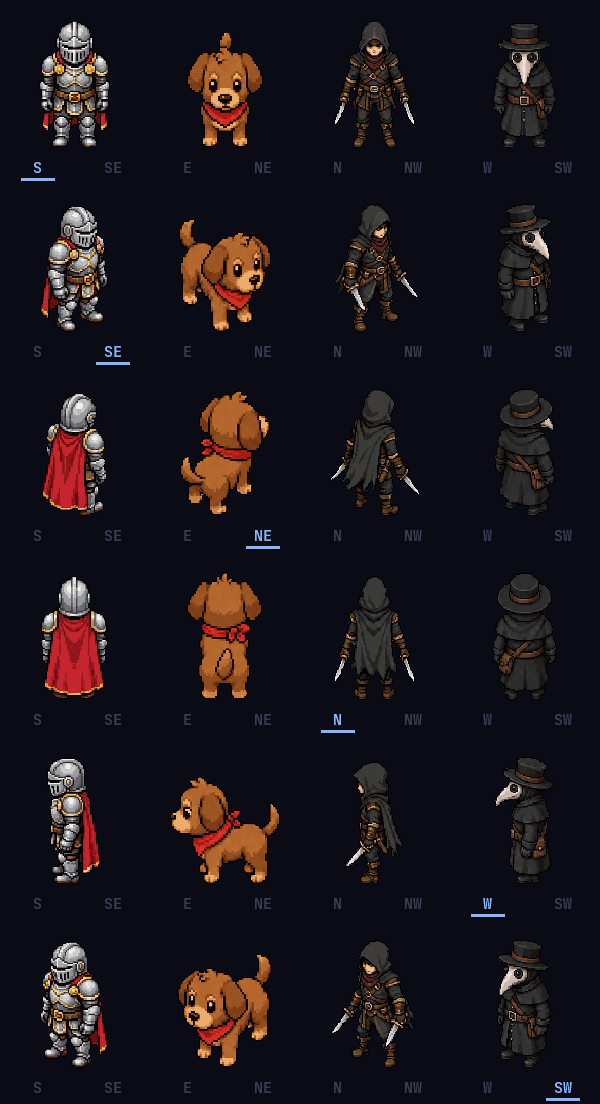
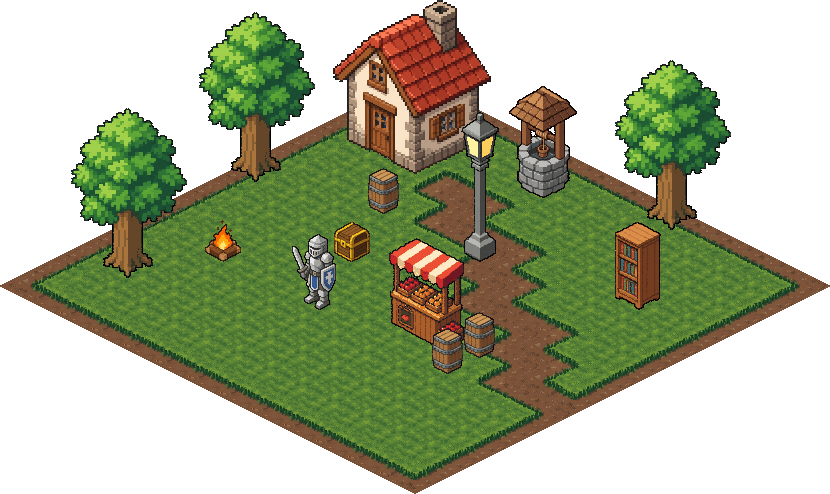
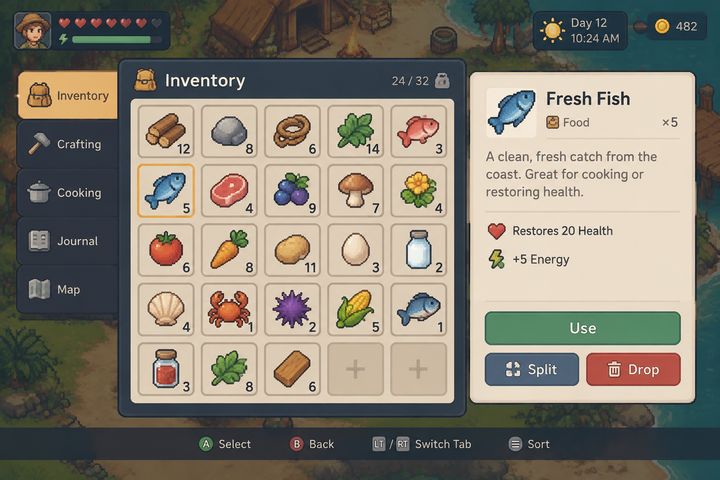
Best for game-ready 2D assets, solo devs and small teamsBuilt for the whole 2D asset list: sprites, animation, 4 and 8 direction rotations, sprite packs, tilesets, isometric props, backgrounds, reskins and UI kits. Everything comes out game-ready, with a transparent background, clean 1px outlines on pixel art and a free tuning panel, and exports to Godot and Unity. There's an API and an MCP server for pipelines. Pixel art first, with HD for UI kits.
- 2
PIXELLAB
Best for skeleton-based pixel character animationA pixel art specialist with deep character tooling: skeleton animation, rotations and tilesets. The biggest pixel art tool by users. Raw output can need cleanup.
- 3
SCENARIO
Best for a custom-trained house styleTrain a model on your own art and generate in that style. Strong for studios that already have an art bible and need on-brand consistency across a lot of assets.
- 4
LUDO.AI
Best all-in-one, including 3D and audioA broad game-dev platform: sprites and sprite animation with a large library of motion presets, plus 3D, audio and game-idea research in one subscription. Good if you want one bill for everything.
- 5
LAYER
Best for studios at scaleAimed at studios and their marketing teams: game art, UI and item sets that match existing IP, plus video and playable ads for user acquisition.
- 6
LEONARDO.AI
Best general-purpose image generatorA versatile image platform with model training and texture tools. Not game-specific, so plan on doing your own background removal and sizing.
- 7
RECRAFT
Best for vector iconsGenerates real SVG vectors, so icons and flat UI stay crisp at any size and stay editable in Figma or Illustrator.
For 3D models, Meshy and Tripo are the usual picks, and ElevenLabs for sound effects and voices. SpriteLab doesn't do either.
Which tool for which asset
| Asset | Use |
|---|---|
| Pixel art sprites and characters | SpriteLab, PixelLab |
| Sprite animation | SpriteLab, PixelLab, Ludo.ai |
| 4 and 8 direction rotations | SpriteLab, PixelLab |
| Tilesets that autotile | SpriteLab (Godot + Tiled files), PixelLab |
| Isometric props and tiles | SpriteLab |
| Game UI kits (panels, buttons, states) | SpriteLab (Godot + Unity), Layer |
| Vector icons | Recraft |
| Art in your existing house style | Scenario, Layer |
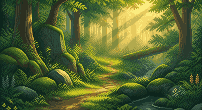
| Backgrounds and scenes | SpriteLab, Leonardo.ai |
| 3D models | Meshy, Tripo, Ludo.ai |
| Sound effects and voices | ElevenLabs, Ludo.ai |
Made with SpriteLab
Every asset type on the list above, from one tool. Each of these came from a prompt or an upload.


What to check before you pay
- Is the background actually transparent? Many tools give you a picture on white or a fake checkerboard. Download one and drop it on a dark background to see.
- Are the edges clean? Soft, half-transparent edges show up as a halo in game. For pixel art, zoom in: real pixel art sits on a grid with a limited palette.
- Does it stay consistent? One good image is easy. Ten matching items, or the same character in eight directions, is the real test.
- Does it export in a shape your engine uses? Sprite sheets that slice evenly, tilesets with the autotile rules set, UI with 9-slice borders.
- What does fixing it cost? If every colour tweak is a paid re-roll, iterating gets expensive. Look for free adjustments after generation.
More on the pixel art side of this in AI pixel art vs true pixel art and the best AI pixel art generators.
Frequently asked questions
What is the best AI tool for 2D game assets?
For a solo or small team making a 2D game, SpriteLab: it makes sprites, animation, rotations, tilesets, isometric assets, backgrounds and UI kits that come out game-ready (transparent, clean edges, engine exports), with a free plan. Studios that need a custom-trained house style should look at Scenario or Layer, and Ludo.ai covers 3D and audio as well as 2D. We make SpriteLab, so try the same prompt in a couple of these and compare.
Can AI make game-ready sprites?
Yes, if the tool does the cleanup. Raw image models give you a picture on a background with soft edges. Game-ready means a transparent background, consistent size, a clean outline and, for pixel art, a real pixel grid and a limited palette. Check for those before you compare prices.
Is there a free AI game asset generator?
SpriteLab has a free plan with 25 credits plus 5 a day and no card. Most tools on this list have a free tier or trial credits.
What about 3D models and sound?
SpriteLab is 2D only. For 3D, Meshy and Tripo are the usual picks; for sound effects and voices, ElevenLabs. Ludo.ai bundles 2D, 3D and audio in one subscription.
Do I own what these tools make?
It depends on the tool and the plan, so read each one's terms. On SpriteLab, paid-plan outputs are private and yours to use commercially; free-plan outputs can be used commercially too but are public and non-exclusive.
Try it on your own game
Sprites, animation, tilesets, isometric and UI kits, game-ready out of the box.
TRY SPRITELAB FREE 25 free credits + 5 daily. No card needed.