Pixel art palettes: how many colours, and which classics to steal
The fastest way to make pixel art look deliberate is to constrain the palette. The fastest way to make it look like AI slop is not to. This guide covers how many colours a sprite actually needs, the classic palettes worth knowing by name, and when dithering earns its place.
How many colours does a sprite need?
Fewer than you think. Working numbers that hold up in practice:
| Asset | Colour count | Why |
|---|---|---|
| Small icons (16 to 32px) | 4 to 8 | At tiny sizes, extra colours read as noise, not detail |
| Character sprites (32 to 64px) | 8 to 16 | Enough for two or three ramps (skin, clothing, accent) plus outline |
| Large sprites and portraits (96px+) | 16 to 32 | Room for softer ramps without losing cohesion |
| Full scenes and tilesets | 16 to 32 shared | One shared palette is what makes a tileset feel like one world |
The trick is thinking in ramps, not colours: a ramp is 3 to 5 shades of one material (skin, metal, leaf). A 16-colour palette is really four ramps plus an outline colour and a highlight. When a palette feels short, you need a better ramp, not more colours.
The classic palettes worth knowing
You don't have to invent a palette. Decades of constraint-driven design left behind sets that just work, and most pixel art tools (SpriteLab included) ship them as presets:
| Palette | Colours | Character |
|---|---|---|
| Game Boy | 4 | The famous green monochrome. Instant nostalgia, brutal constraint, great for jams |
| 2-bit Demichrome | 4 | A softer grey-green take on the 4-colour idea, less novelty than Game Boy |
| CGA | 4 to 16 | The cyan/magenta/white shock of early PCs. Loud on purpose |
| PICO-8 | 16 | The fantasy console set. Warm, friendly, extremely versatile; the default suggestion if you're lost |
| NES | ~54 usable | The 8-bit console look; in practice you pick a small subset per sprite |
| Sweetie 16 | 16 | Cooler and moodier than PICO-8, lovely for night scenes and dungeons |
| Endesga 16 / 32 | 16 / 32 | The modern indie workhorses. Balanced ramps, no gimmick; 32 is the "safe" big palette |
| SLSO8 | 8 | Eight colours that fake lighting beautifully; teaches hue shifting by force |
| Apollo | 46 | Big, painterly, ramp-organised. For when you want range with cohesion intact |
A practical workflow: generate your sprite without a lock first, see what the subject wants to be, then snap it to a palette and compare. Locking PICO-8 onto a sprite changes its whole personality in one click, which is also just fun.
Hue shifting: the one technique to learn
Beginner ramps go dark by adding black and light by adding white. Good ramps shift hue as they shift brightness: shadows lean toward blue or purple, highlights lean toward yellow or orange. It's why SLSO8 looks lit and a naive 8-colour grey ramp looks dead. When you build custom ramps, move the hue a little with every step. When you steal a classic palette, this work is already done for you, which is most of the reason to steal one.
Dithering: when it helps and when it hurts
Dithering fakes intermediate shades by interleaving two colours in a pattern. The honest rules:
- Helps: large gradient areas (skies, glows, metal sheens) on bigger sprites, where a hard ramp step would band visibly. Also load-bearing for very small palettes (4 colours) where you have no intermediate shade to use.
- Hurts: small sprites, where dither pattern reads as dirt at 1x zoom. And character art generally; a clean two-step ramp usually beats a dithered blend on anything that moves.
- The tell: automatic Floyd-Steinberg dithering applied everywhere is a classic sign of converted-not-crafted pixel art. Use it on purpose, in places, or not at all.
Doing this with AI output
Raw AI generations carry hundreds of near-duplicate colours (see AI vs true pixel art for why). Quantising down to a deliberate count, or snapping to one of the classics above, is the single highest-impact cleanup step. In SpriteLab the palette controls live in the free tuning panel: a colour-count slider, the preset palettes from the table above, custom hex lists, and a dithering toggle, all re-running locally without spending credits. Drag the colour count from 32 down to 8 on a finished sprite and you'll see the entire argument of this article play out in two seconds.
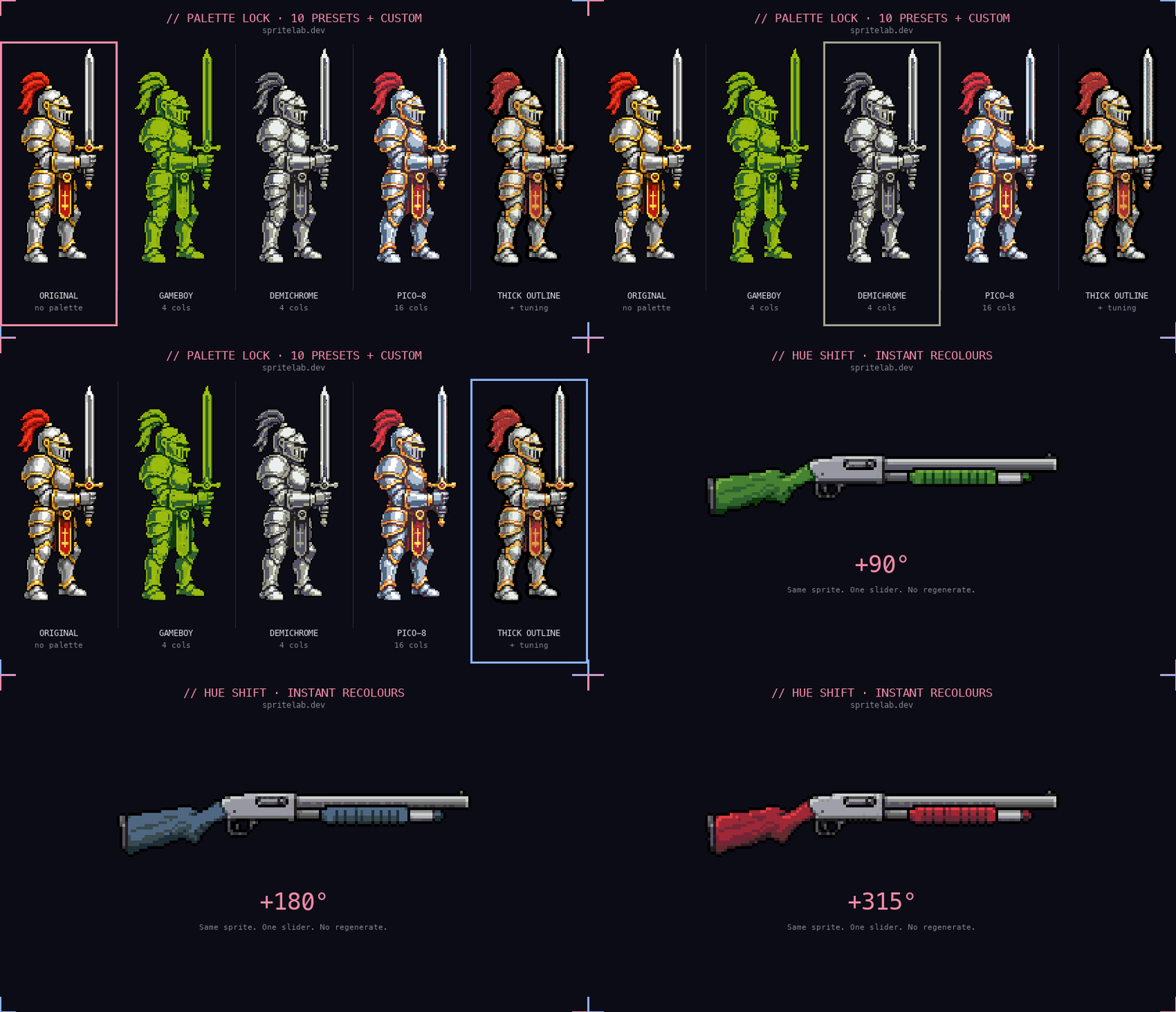
Same sprite, different palette locks, re-running live.
Play with the palettes
Generate a sprite, then snap it to Game Boy, PICO-8 or your own hex list. Free, instant, no re-rolling.
TRY SPRITELAB FREE 25 free credits + 5 daily. No card needed.