Turn a sprite into an animated sprite sheet, or generate a whole set of matching sprites in one go. Clean, evenly-spaced frames, transparent backgrounds, and a GIF alongside every animation.
MAKE A SPRITE SHEET FREE 25 free credits + 5 daily. No card needed.
Describe the motion and every frame is drawn, cleaned and laid out on an even grid. You get the strip to slice in your engine and a GIF to preview it right away.


Describe a motion and get a frame-by-frame strip plus a GIF. A free cleanup panel handles outlines, colours and frame timing after.
Generate a grid of matching sprites in a single generation, then use the split tool to save each cell as its own file.
One click turns a character into a four-facing sheet (front, back and sides) with guaranteed symmetric left and right.
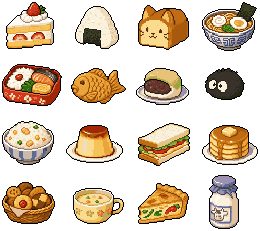
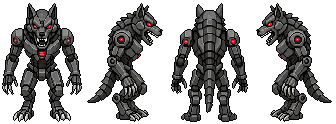
Frames are evenly spaced with clean transparent gaps, so the sheet slices predictably in Unity, Godot, GameMaker or LDtk. No manual trimming, no leftover background halos to erase. Read the sprite sheet guide for the full workflow.
A single image holding many frames or many sprites in a strip or grid. Game engines slice it back into individual cells at runtime. SpriteLab makes animation strips, multi-sprite packs and four-direction sheets.
You choose the frame count when you describe the motion. Every animation comes back as both a horizontal sprite sheet and a ready-to-play GIF.
Yes. Animations export as a horizontal strip PNG plus a GIF, and you can pull individual frame PNGs too. Packs export as a sheet or as split individual files.
Yes. The strips are evenly spaced with transparent backgrounds, so they slice cleanly in any engine's sprite importer. There are guides for Unity and Godot in the guides section.
Yes. Every frame is keyed out to transparent with a clean outline, so nothing needs erasing before import.
Describe the motion, get a sheet and a GIF. See the frames for yourself.
MAKE A SPRITE SHEET FREE 25 free credits + 5 daily. No card needed.