How to keep one pixel art style across a whole game
Most games that look rough don't have bad sprites. They have sprites that don't match. A hero with a black outline stands next to a tree with none. An enemy is drawn at twice the pixel size of the floor under it. Each sprite is fine alone, and together they look like a collage.
A consistent style comes down to six decisions: palette, outline, shading, pixel size, proportions and light direction. Make each one once, write it down, and hold every new sprite to it. This guide goes through them in order, then shows how a saved style does the holding for you.
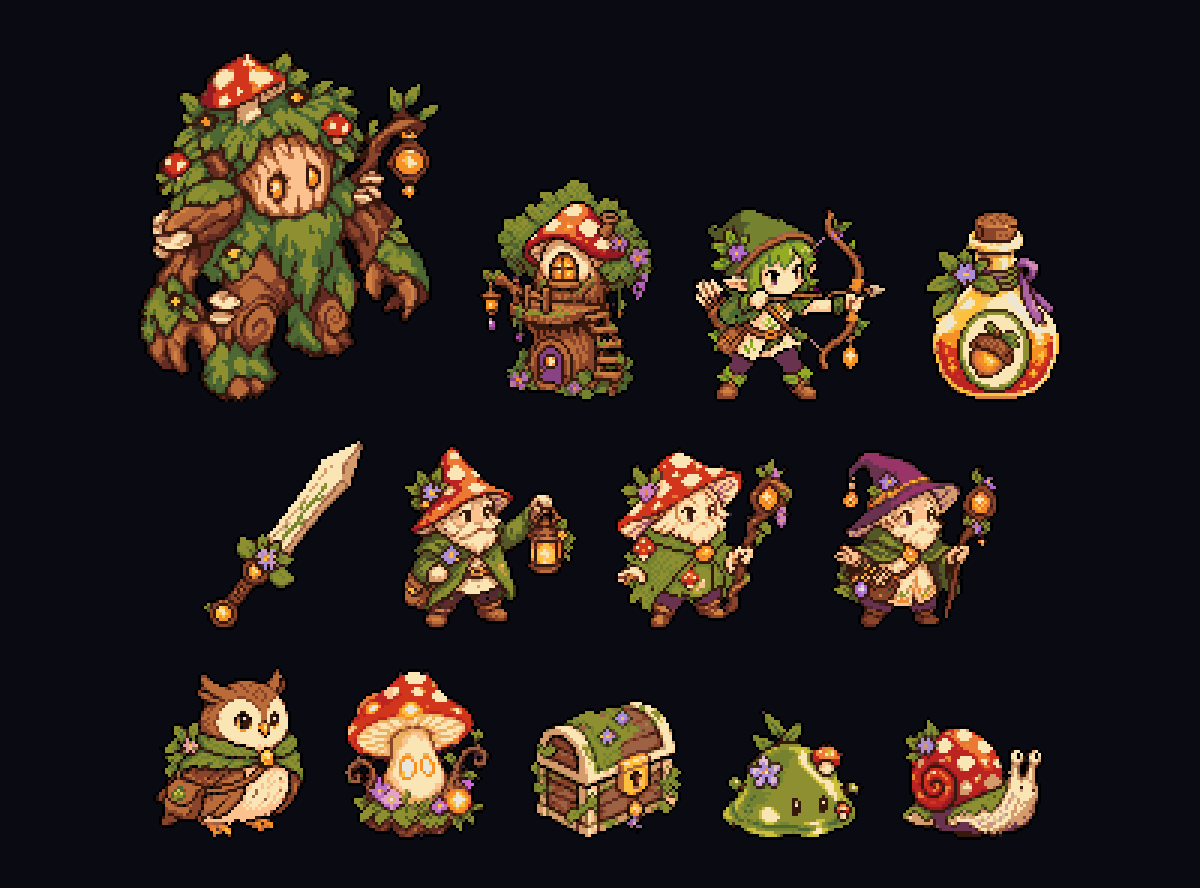
Thirteen sprites, one style: the Mushroom forest set from the free sprite packs.
1. Palette
Pick the colours before you draw anything. A shared palette does more for consistency than anything else on this list. A small game can run on 16 to 32 shared colours (the palettes guide has the working numbers).
The rule is simple and hard to keep: no sprite gets a colour that is not in the palette. If the palette is missing something, add the colour to the palette first, then use it everywhere it fits.
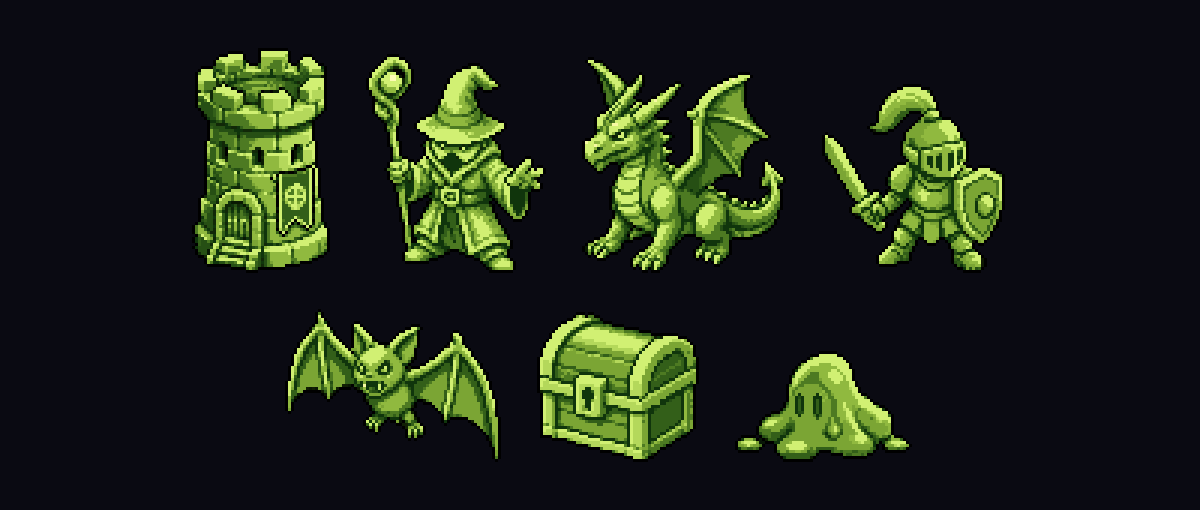
The extreme case: four shades of green and nothing else. Seven different subjects, obviously one game.
2. Outline
Decide three things: whether sprites have an outline, how thick it is, and what colour it is. A 1px black outline, a coloured outline a shade darker than the fill, and no outline at all are all good choices. Mixing them is the mistake.


Two cats, two outline rules. Neither is wrong. Putting them in the same game would be.
3. Shading
Decide how many steps a surface takes from light to dark, and how hard the edges between them are. Two or three flat steps per material is the classic sprite look. Soft gradients and heavy dithering are a different look. Pick one and use it on everything, including the boring props.
Decide the highlights too: small and bright, or broad and soft. A glossy potion next to a matte hero reads as two artists.
4. Pixel size
One art pixel must be the same size for everything on screen. Scale a 32px character by 3 and a 64px tree by 2 and you have two pixel sizes in one scene. Pixel artists call the result mixels, and players notice it even when they can't say what is wrong.
Draw everything at one resolution, then scale the whole game by one whole number. If a sprite needs to be bigger on screen, draw it bigger, don't stretch it.
5. Proportions
How many heads tall is a character? Chibi characters are two or three heads tall. Taller, leaner figures feel more serious. Whatever you pick, hold it for every character, and size the props to match: a door should fit the person who walks through it.


The same prompt, "wizard", in three styles. Each is consistent inside its own set.
6. Light direction
Pick where the light comes from and shade everything from there. Top left is the common choice. Highlights sit on the same side of every sprite and shadows on the other. A set lit from one direction looks solid, and one sprite lit from the wrong side looks pasted in.
Write it down
A style guide for a small game fits on one screen:
| Decision | What to write down |
|---|---|
| Palette | The hex codes, grouped into ramps |
| Outline | On or off, thickness, colour rule |
| Shading | Steps per material, hard or soft edges, highlight size |
| Pixel size | The base resolution of a character and the game's scale |
| Proportions | Heads tall, and one prop for scale |
| Light | One direction, for everything |
Add one or two finished sprites as the reference. When a new sprite looks off, put it next to the reference at game scale and go down the list. The culprit is nearly always one of the six.
Here is a real one. This is the description behind the Cosy farm set:
Mood, shapes, palette, shading, light direction and outline in six sentences.
How Styles does it for you
Holding a style by hand means checking every sprite against the sheet. With generated sprites it is harder, because each generation starts fresh. That is the job of Styles in SpriteLab: it is the style sheet, saved, and applied to every sprite.
The Style row sits right under the prompt in Text to Sprite. Pick a style and every new sprite copies its colours, outline, shading and pixel size. There are two ways to make one:
- Describe a style. Type a few words, like "ice kingdom". A short theme gets its description written for you, and you get two hero sprites, a palette and a description. It costs 2 credits.
- From images. Put up to 6 of your own sprites on a style board. Useful when the game already has art and the new sprites need to fit in.
Sprites made with a style cost the normal price, 1 credit on Epic and 6 on Mythic. Styles is open to every signed-in account, the free plan included.
Below, three prompts were run in three styles. Only the style changed between rows.
Cosy farm


Deep sea reef


Ancient desert


Nothing was retouched. These sprites are in the free sprite packs.
Set your game's style once
Describe the look or start from your own sprites, then make everything else to match.
TRY SPRITELAB FREE 25 free credits + 5 daily. No card needed.