Pixel art style generator
Sprites made one at a time drift apart. One has a black outline, the next a brown one, the third is drawn at a different pixel size. Styles fixes that. Pick a style once and every new sprite copies its colours, outline, shading and pixel size, so everything in your game looks like one set.
MAKE A STYLE 25 free credits + 5 a day. No card needed.
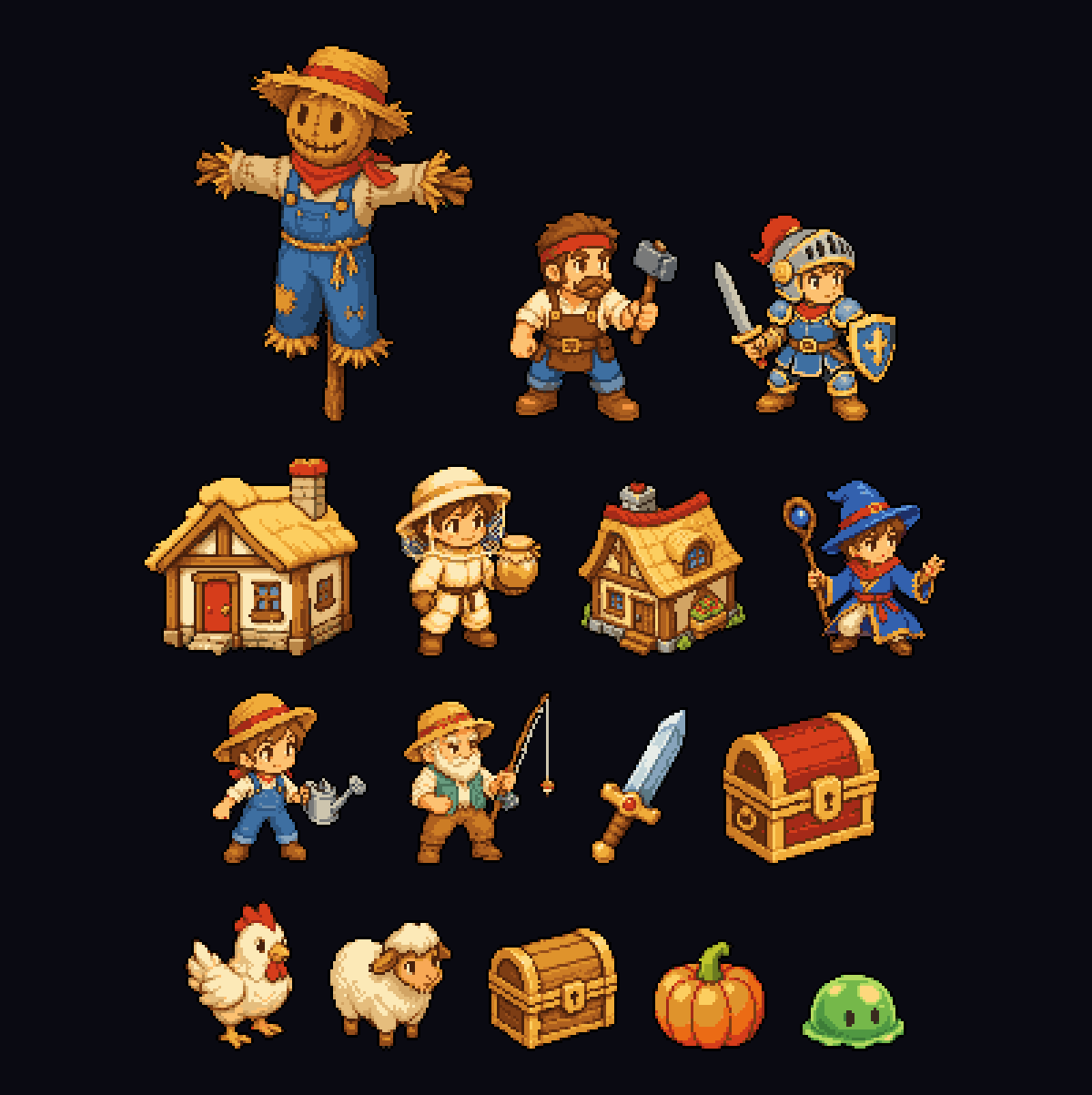
Sixteen sprites, one style. This is the Cosy farm set, one of 11 free sprite packs.
Same prompts, three styles
Six plain prompts: knight, wizard, treasure chest, slime, small house, sword. We ran them three times and changed one thing each time, the style. The prompt was only the words under each sprite.
Cosy farm


Deep sea reef


Ancient desert


Nothing here was retouched. All three sets are in the free sprite packs.
Where it lives
Open Text to Sprite. The Style row sits right under the prompt. With no style picked, each sprite gets its own look. Pick a style and every new sprite follows it. The prompt stays short: you say what the thing is, the style says how it looks.
Two ways to make a style
- Describe a style. Type a few words, like "ice kingdom" or "cosy farm". A short theme gets its description written for you. You get back two hero sprites, a palette and a description. This costs 2 credits.
- From images. Put up to 6 of your own sprites on a style board, and new sprites follow the board.
You can keep up to 30 styles, so one account can hold the look of several games.


deep sea coral reefAbyssal Reef
Quiet, mysterious, and luminous with a sense of deep underwater stillness. Use rounded organic silhouettes, branching forms, and compact proportions with layered clustered details. Main colours are midnight blue, deep teal, indigo, and coral pink, with accents of cyan, violet, seafoam, and warm orange. Shade with broad stepped bands and small pools of cool reflected light. Use dark navy outlines and a few deliberate highlight marks to suggest smooth, waxy, and softly ridged surfaces.
What came back from four words: a name, a description, two hero sprites and a palette. The Deep sea reef set above was made with it.
One prompt, eleven styles
The same two words, "treasure chest", in every style we made for the free packs.


What it costs and who can use it
- Making a style from a description costs 2 credits.
- Sprites made with a style cost the normal price: 1 credit on Epic, 6 on Mythic.
- Styles is open to every signed-in account, the free plan included. The free plan has 25 credits plus 5 a day.
- The API and the MCP server take a style id on the generate call, so sprites made from code follow the same style.
If you want the reasoning behind all this, the guide on keeping one pixel art style across a game goes through it decision by decision.
Frequently asked questions
What is a style in SpriteLab?
A saved look for a whole game. Pick it in the Style row under the prompt and every new sprite copies its colours, outline, shading and pixel size.
How do I make a style?
Two ways. Describe a style: type a few words and get two hero sprites, a palette and a description, for 2 credits. From images: put up to 6 of your own sprites on a style board.
Do sprites made with a style cost more?
No. They cost the normal price: 1 credit on Epic and 6 on Mythic.
Is Styles on the free plan?
Yes. Styles is open to every signed-in account. The free plan has 25 credits plus 5 a day, and no card is needed.
Can I use the example sprites on this page?
Yes. They come from the free sprite packs: free for personal and commercial projects, no attribution required.
Does it work over the API?
Yes. The generate call in the API and the MCP server takes a style id, so sprites made from code follow the same style.
Give your game one look
Make a style, then describe what you need. Transparent PNGs, ready for your engine.
MAKE A STYLE 25 free credits + 5 daily. No card needed.