Turn your pet into a pixel art sprite
Upload a photo of your dog, cat, rabbit or parrot. Quick Convert redraws it as pixel art with a clean 1px outline, a small palette and the background taken out, ready to drop into a game. It takes a few seconds and costs 3 credits.
CONVERT MY PET 25 free credits + 5 a day. No card needed.
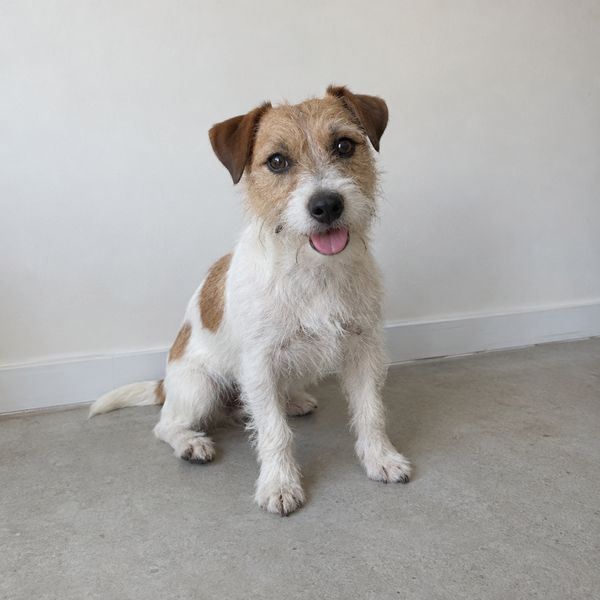
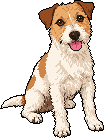
Photo in, sprite out
- Upload a photo. A phone snap is fine. JPG or PNG, up to 10MB.
- Convert it. Quick Convert redraws your pet as pixel art and removes the background. 3 credits.
- Tune it for free. Size, colour count, outline, palette and brightness are all sliders. Each change re-runs in a moment and costs nothing.
- Animate it if you like. Send the sprite to Animate, describe the motion and get a looping sprite sheet and GIF.
Cats, rabbits and birds too
Most animals work if their outline is clear in the photo. Fur patterns, a rabbit's patches and a parrot's face colours all carry over.
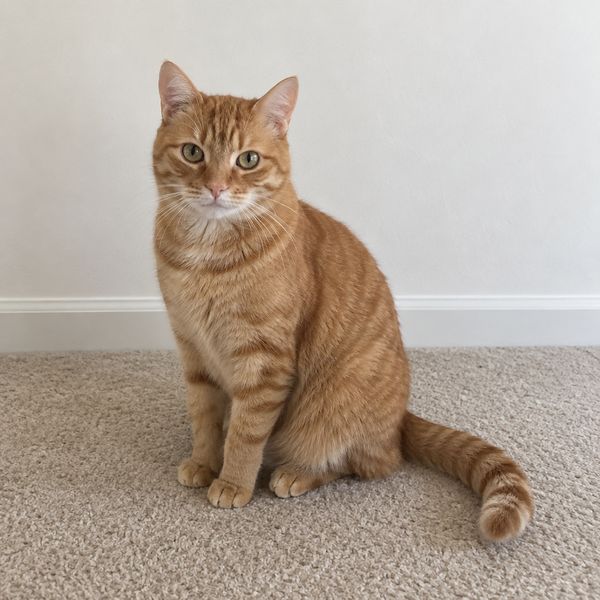
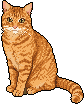
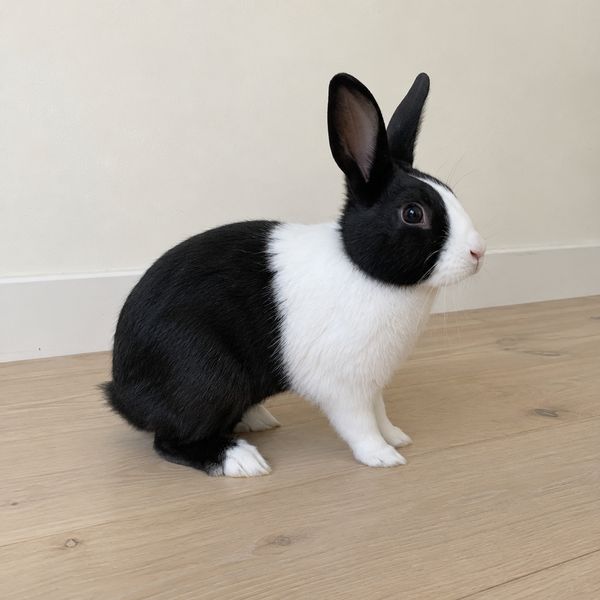
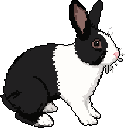
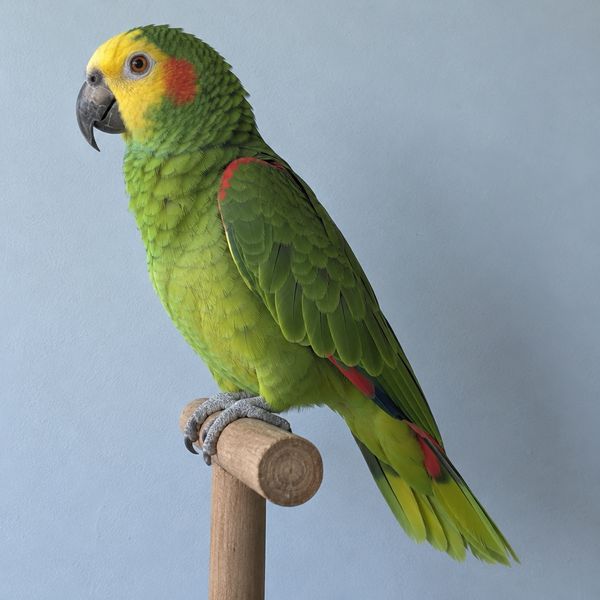
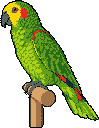
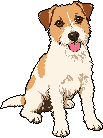
The photos on this page are samples generated for it, not customer pets. Every sprite is straight out of Quick Convert at default settings.
Tune it for free
The first result is a starting point. Want fewer colours for a retro look, or a tiny version for an inventory icon? Move a slider. Nothing gets generated again, so it costs nothing.

Getting a good result
- Get the whole pet in. Ears, paws and tail. Anything cropped in the photo stays cropped.
- Pick a plain background that doesn't match the fur. A white cat on a white duvet is hard to cut out.
- Good light, in focus. Blur turns to mush at sprite size.
- Side-on or three-quarter for a game character. Face-on is great for a portrait or an icon.
- One pet per photo. Two cats curled up together are hard to pull apart, so crop to the one you want.
Put it in your game
You download a transparent PNG. It goes straight into Godot, Unity, GameMaker or Aseprite. A pet that follows the player around, a shop cat, a final boss that's secretly your dog: all fair game. It makes a good gift too, as a sticker, a profile picture or a cameo in a friend's game.
Want it moving? The pixel art animation generator turns the sprite into a walk, idle or tail-wag loop, exported as a sprite sheet and a GIF.
Frequently asked questions
How much does it cost to turn my pet into pixel art?
3 credits per photo. New accounts start with 25 free credits and get 5 more a day, so your first 8 pets cost nothing. Retuning a result afterwards is always free.
What kind of photo works best?
One pet, fully in frame, in good light, against a background that doesn't match its fur. Side-on or three-quarter views make the best game characters. Face-on works well for portraits and icons. JPG or PNG, up to 10MB.
What size will the sprite be?
The first result comes back around 128 pixels tall. After that you can set any height with the size slider, from a 16 pixel icon to a big portrait. Resizing is free.
Can I keep the background?
Yes. Switch off Remove Background before you convert and the room or garden gets redrawn as pixel art too.
Will it still look like my pet?
It keeps the markings, colours and pose from your photo. It is a redraw at sprite size though, so tiny details like a collar tag or single whiskers can get simplified or dropped. If the first go is off, convert again for another 3 credits, or adjust the colours for free.
What happens to my photo?
Your photo stays yours. It is sent to the AI service that does the redraw, only to make your result. For Quick Convert, your history keeps the pixel art and the full-size redraw it came from (so retuning works), not the original photo, and you can delete any sprite or your whole history from the app. One thing to know: sprites made on the free plan are public, so we may show them in community galleries and anyone can use them. Sprites made on a paid plan are private by default. The privacy policy and terms have the details.
Can I animate my pet?
Yes. Send the sprite to Animate and describe the motion, for example "walk cycle facing right" or "sitting, tail wagging". You get a looping sprite sheet and a GIF for 20 credits.
Is there a free way to do this?
The free image to pixel art tool needs no account. It pixelates your photo rather than redrawing it, so a pet comes out as a mosaic of the photo instead of drawn pixel art with a clean outline. Quick Convert does the redraw, which is why it costs credits.
Try it on your own pet
One photo, a few seconds, a sprite you can use anywhere.
CONVERT MY PET 25 free credits + 5 a day. 3 credits a photo. No card needed.